Learn it. Create it. Make it yours.
Create Your First Printable Budget Tracker in Canva
A beginner-friendly SmartGirlStudio Mini Lesson
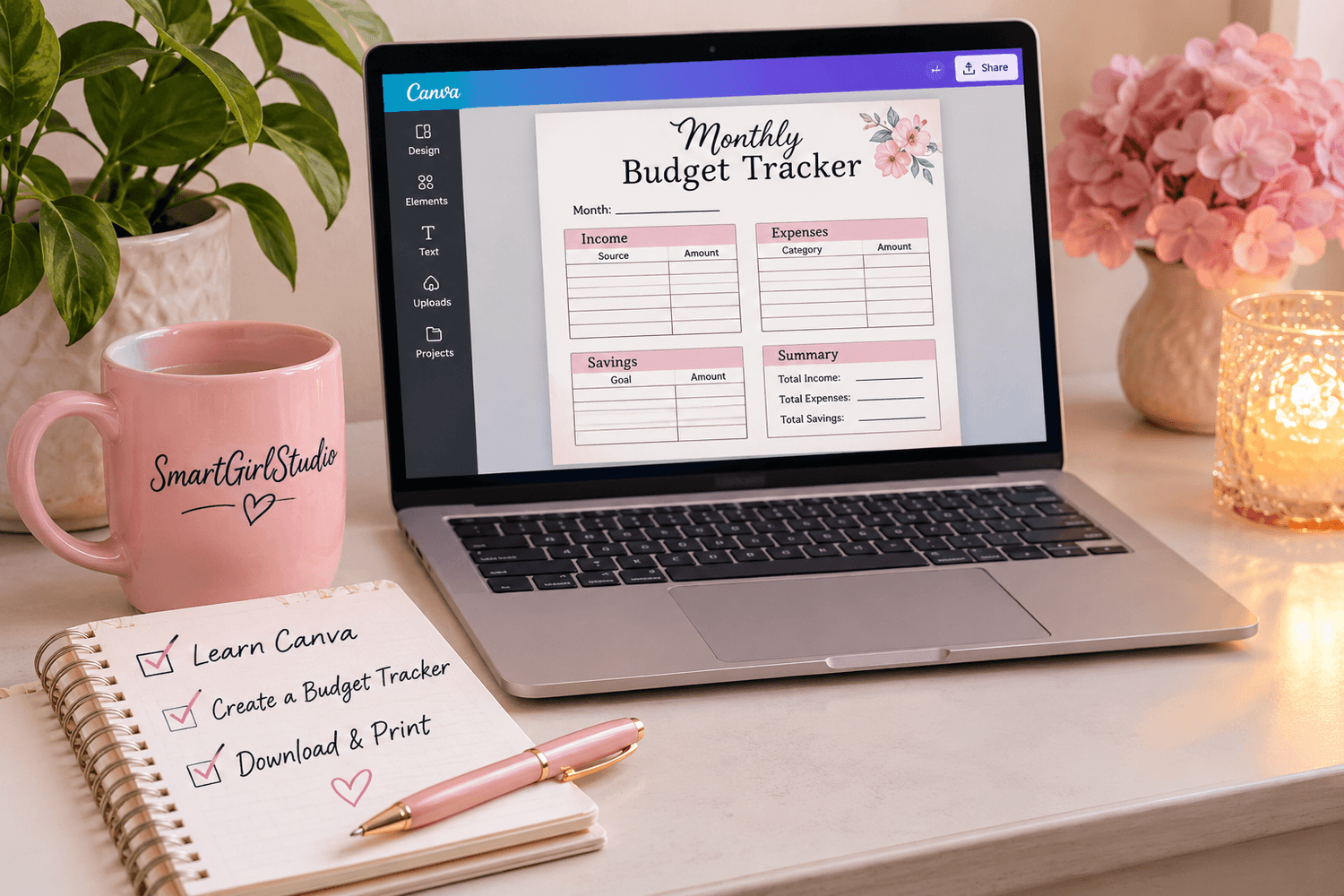
Want to learn how to create your own printable digital products but aren't sure where to start?
In this beginner-friendly Mini Lesson, you'll learn how to design a simple, functional monthly budget tracker using Canva.
No design degree, expensive software, or previous Canva experience required.
Just $3 - One-Time Purchase
What You'll Learn
By the end of this Mini Lesson, you'll have practiced how to:
Set up an 8.5 × 11-inch printable design in Canva.
Create a clean, organized monthly budget tracker.
Add headings, text, shapes, and useful sections.
Customize fonts, colors, and layout.
Download your finished design as a printable PDF.
Apply your new design skills to future printable projects.
You'll finish with a budget tracker you created yourself!
Everything You Need to Get Started
Your $3 Mini Lesson includes:
Step-by-Step Video Tutorial
Follow along as you learn how to build your printable budget tracker in Canva.
Downloadable Canva Tutorial
Keep a written reference you can revisit whenever you need it.
Design Planning Worksheet
Plan the layout, sections, and style of your tracker before creating it.
Sample Monthly Budget Tracker
Use an example to understand how the finished project comes together.
Reflection Journal
Review what you've learned and identify your next creative goal.
Final Project & Checklist
Complete your printable tracker and check your work before downloading it.
Certificate of Completion
Celebrate your accomplishment when you complete the lesson.
Designed for Beginners
This lesson is a great starting point if you:
Want to learn Canva without feeling overwhelmed.
Enjoy planners, printables, and organization.
Are curious about creating digital products.
Prefer short, self-paced lessons.
Want to build a new creative skill affordably.
You don't need to be a graphic designer. You just need a willingness to learn something new.
Learn at Your Own Pace
No scheduled classes. No live meetings. No pressure to keep up with anyone else.
Watch the lessons, follow the instructions, download your resources, and create your project whenever it's convenient for you.
You can revisit the lesson materials as you practice your new skills.
One Small Lesson. One New Skill.
Mini Lesson 01: Create Your First Printable Budget Tracker in Canva
$3 - One-Time Payment
Your purchase includes access to Mini Lesson 01 and its accompanying learning resources.
Future SmartGirlStudio Mini Lessons are sold separately.
Button: START LEARNING FOR $3
Frequently Asked Questions
Do I need Canva Pro?
No. This lesson is designed around beginner-friendly Canva features. A free Canva account is sufficient for the core project.
Do I need design experience?
Not at all! This lesson walks you through the process step by step.
Is this a subscription?
No. Your $3 purchase is a one-time payment for Mini Lesson 01.
Will I receive access to future Mini Lessons?
No. Each SmartGirlStudio Mini Lesson is purchased separately, so you can choose the topics that interest you.
How do I access my lesson?
After purchasing, you'll receive instructions by email for accessing your SmartGirlStudio learning area.
Can I sell the printable I create?
This lesson teaches design skills, but it does not guarantee commercial rights to every Canva element or template. Always check Canva's current licensing terms before selling designs.
Ready to Create Something of Your Own?
Ready to Create Something of Your Own?
You don't need to master Canva in a day.
Start with one simple project, learn a new skill, and discover what you can create.
SmartGirlStudio Mini Lesson 01 - Just $3
SmartGirlStudio — Learn it. Create it. Make it yours.


Get in touch
Feel free to get in touch with us via email: info@smartgirlstudio.com
Built with systeme.io | Privacy policy | Legal | Terms and conditions